 Skip to content
Muluwin Login: Sign In by Password, Username or OTP
Account Access
Getting back into your Muluwin account takes under a minute once you know whether to use your mobile number, your username, a password, or a one-time OTP.
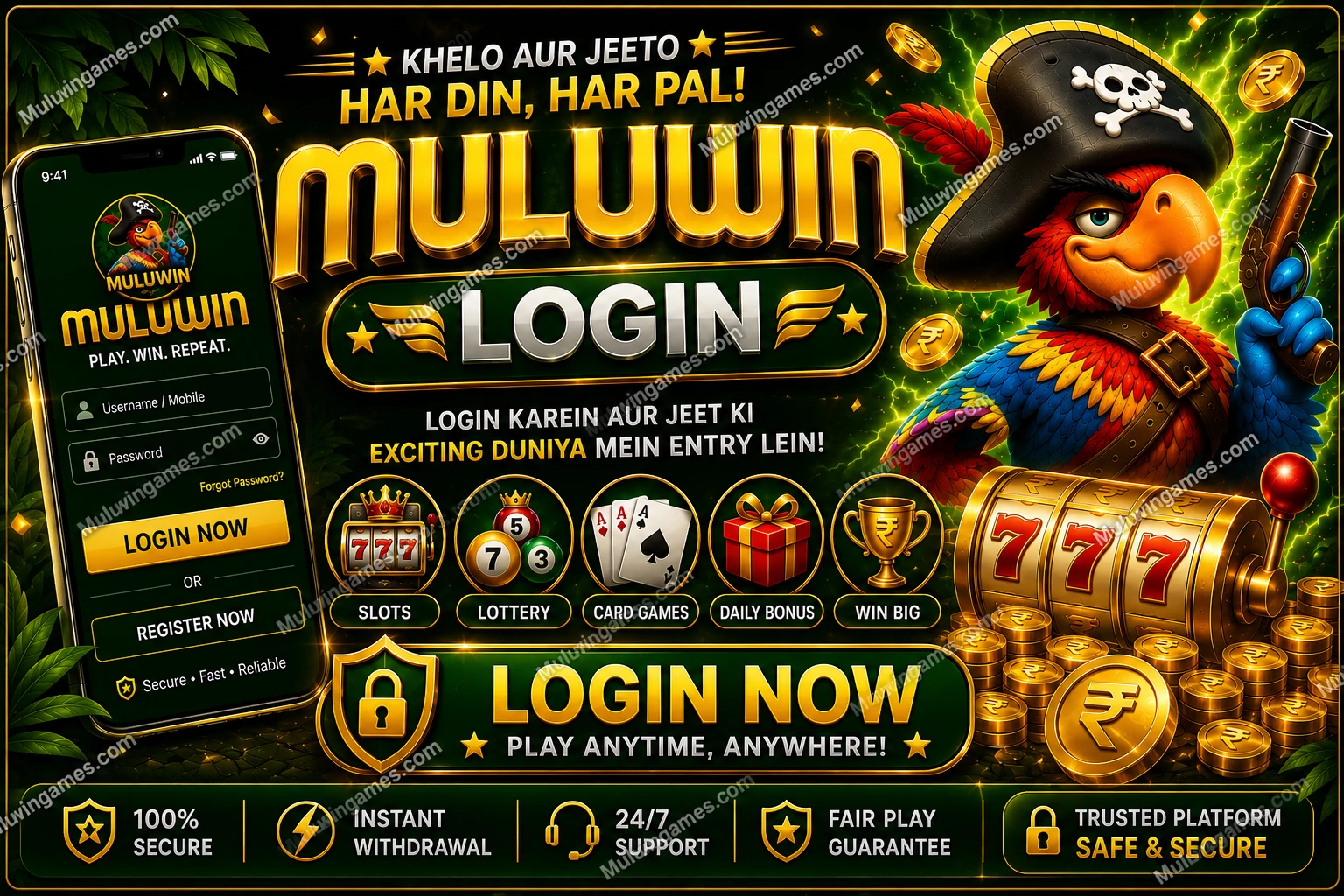
To log in on Muluwin, open the sign-in screen, type in your phone number or username, then choose either your password or Login with OTP. Both paths land on the same wallet and game hub. If your password won’t come to mind, OTP and Forgot Password give you two separate ways back in.
What fields and buttons sit on the Muluwin sign-in screen?
It’s a short form with a welcome message on top, one input field, and a choice of two sign-in methods below it. The banner text reads “Welcome Back! Login to continue your winning journey,” and underneath sits a single field labelled for your mobile number or username.
Below that field you get two ways forward: type your password and tap the login button, or tap Login with OTP to skip the password entirely for that session. A Forgot Password? link sits quietly under the fields for the days your memory fails you.
- One field for mobile number or username — no separate boxes for each
- A password field that appears once you choose password sign-in
- A Login with OTP toggle that swaps the password field for an SMS code entry
- Forgot Password? link positioned right below the sign-in button
Which sign-in method fits your situation right now?
Not every visit calls for the same approach. Here’s how to decide in a few seconds.
Mobile number + password
If you’re on your own phone and remember your password, this is the quickest route — one field, one password, done.
Username + OTP
Signing in somewhere new? Skip the password worry entirely and let a fresh SMS code do the work.
Forgot Password recovery
Can’t recall your password at all? The recovery link rebuilds access through your registered mobile number.
How is Login with OTP different from a normal password sign-in?
Login with OTP replaces your password with a short numeric code texted to your registered mobile number for that single session. You still start from the same login screen, but instead of typing a password you tap the OTP option, confirm your mobile number, and wait for the SMS.
Nothing about your account changes when you use OTP instead of a password — your wallet balance, game history and bonuses stay exactly where you left them. It’s simply a different key to the same door, useful when a password slips your mind or you’re borrowing a device you don’t fully trust.
How do I sign in to Muluwin step by step?
Whichever method you pick, the flow only takes four short steps.
- Open the sign-in screen Load the Muluwin login page from your browser bookmark or your installed home-screen shortcut.
- Enter your mobile number or username Type the exact number or username you registered with — no spaces, no extra digits.
- Pick password or OTP Type your saved password, or tap Login with OTP and wait for the SMS code to arrive.
- Submit and land on your wallet Tap the login button once your details are entered; you’ll be dropped straight into your wallet and game hub.
From here you can jump into any of the eight categories on the home screen, top up your wallet, or check your referral link.
What should I do when my Muluwin login isn’t working?
Most sign-in trouble comes down to one of five things. Match your problem to the fix below.
| Problem | Likely cause | What to try |
|---|---|---|
| Wrong number format | Extra spaces, a missing digit, or an old number typed by habit | Retype the mobile number exactly as registered, digit by digit, with no spaces or country code repeated |
| OTP not arriving | Network delay, or a slight mismatch between the number typed and the one on file | Look over the digits again, allow a brief pause, and request a new code rather than resending the old one |
| Password rejected | Wrong case, a typo, or a password that was changed on another device | Retype carefully, or switch to Login with OTP instead of guessing repeatedly |
| Session expired | You were logged out automatically after time away from the app | Simply sign in again with your usual method — your wallet and history stay intact |
| Shared-device lockout | Someone else’s saved login or a cleared browser cache on a shared phone | Enter your own mobile number or username fresh rather than relying on autofill, then sign in normally |
These are general troubleshooting steps, not guaranteed fixes for every device or network. If a problem repeats, reach out through official in-account support rather than any number found elsewhere.
Which habits keep a Muluwin account harder to break into?
Good login security is mostly about habits, not settings. A few small routines make it much harder for anyone else to get into your wallet.
- Keep your password and any SMS code private, even from messages pretending to be official support staff
- Sign out completely after a session on a borrowed, public, or shared phone
- Look at the site address in your browser bar before typing anything in, particularly after opening a link sent through chat
- Switch to a fresh OTP sign-in for the day if you think your password has been seen by someone else
- Skip the browser’s save-password feature on any device you don’t fully control
What do the sign-in and home screens look like in the app?
A quick look at the real screens helps before you type a single digit.
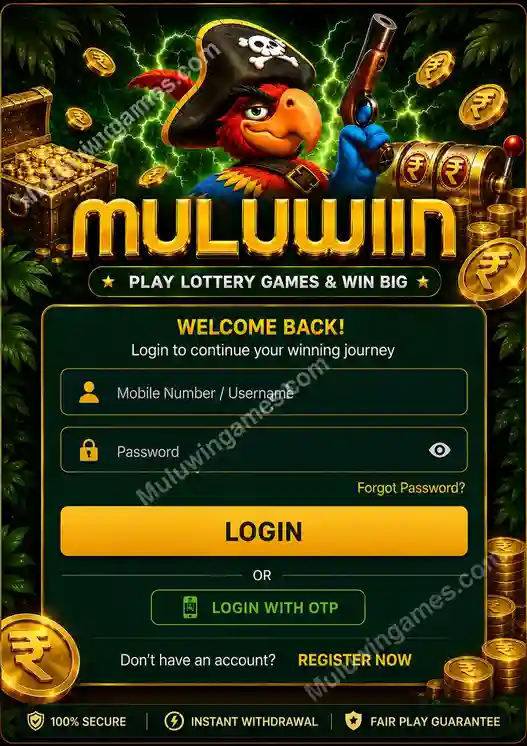
The login screen
Mobile number or username on top, password or OTP choice below, Forgot Password tucked underneath.

Where you land
A successful sign-in drops you straight onto the eight-category home screen with your wallet ready.

The wider hub
Beyond login, the hub covers lottery, slots, fishing, casino and sports tiles in one gold-and-green layout.
Is it legal and safe for me to log in and play on Muluwin?
Muluwin accounts are meant for adults aged 18 and above, and real-money gaming rules are not the same in every Indian state. Laws can and do change, so it’s on each player to check what applies where they live before logging in to play with real money.
Treat every session as entertainment, not income. Outcomes across lottery, slots, casino and sports tiles are chance-based, and no login method or account setting changes that. If gaming stops feeling fun, step back, set limits on time and spend, and consider resources such as BeGambleAware.org for support.
What should you remember about logging in to Muluwin?
- Sign in with your phone number or username, backed by either a saved password or a fresh OTP code
- Login with OTP is the fastest fallback when a password is forgotten or you’re on a new device
- Forgot Password? resets access through your registered mobile number, no OTP required first
- Most login problems trace back to number formatting, delayed OTPs, or an outdated saved password
- Log out on shared devices and never hand your password or OTP to anyone else
- Accounts are for adults 18+, and real-money rules vary by Indian state
What else comes up when signing in?
Why is my Muluwin login not working?
It’s usually one of four things: an incorrectly typed mobile number, an OTP delayed by the network, a mistyped password, or an expired session. Work through the troubleshooting table above to isolate the cause.
Can I log in with just my username and no mobile number on hand?
Yes, the login field accepts either your username or your registered mobile number for password sign-in. OTP login, however, needs access to that mobile number to receive the code.
What happens if I never receive the OTP code?
Check the digits you typed against the number linked to your account, give it a little time in case of network lag, then ask for another code instead of repeating the same request over and over.
Is Login with OTP safer than typing a password?
OTP avoids typing a password on a screen you might not fully trust, which is handy on public Wi-Fi or borrowed devices. Either method is safe as long as you don’t share the code or password with anyone.
Can I be logged into Muluwin on two phones at once?
Yes. The same account opens on separate devices as long as each one signs in on its own, whether that’s through a password or a fresh OTP.
Does Muluwin log me out automatically?
Sessions can expire after time away from the app, which is why you may occasionally be asked to sign in again even on a device you use often.
What if I forgot both my password and which number I registered?
Try the mobile numbers you commonly use with Forgot Password? first. If none work, contact official in-account support once you do manage to get into a related channel, since account recovery details are handled there.
Do I need an account before I can use the login page?
Yes. If you haven’t signed up yet, head to the registration page first — logging in only works for a mobile number or username that’s already been registered.
Ready to sign back in to Muluwin?
Head into the Muluwin gaming hub with your mobile number or username, choose password or OTP, and you’ll be back at your wallet and games in moments.
